Simple Solutions for When Your Remote Suddenly Stops Working
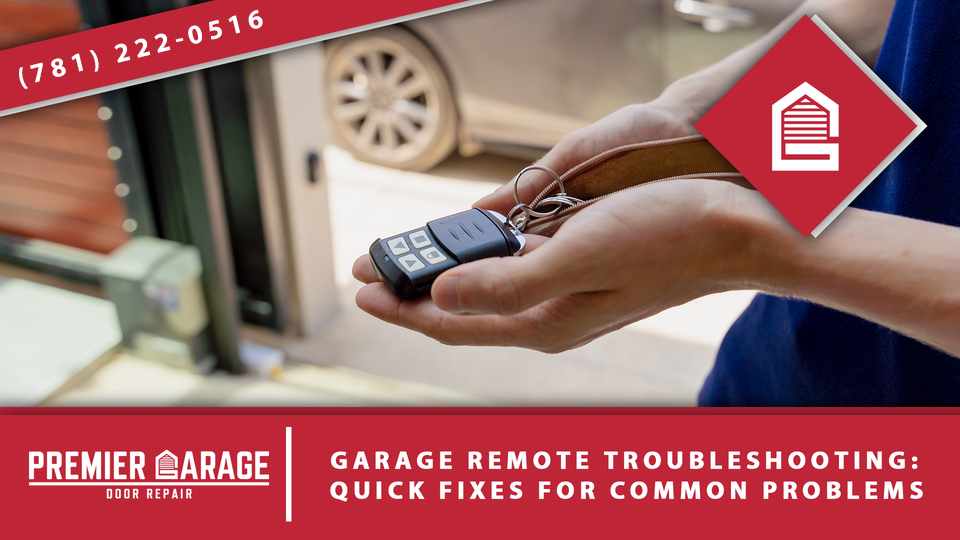
Few things are more frustrating than pulling into your driveway, pressing the garage door remote—and nothing happens. Before you panic or assume you need a full opener replacement, try these quick steps. In this guide, Premier Garage Repair walks you through garage door remote troubleshooting: quick fixes for common problems, helping you get your system working again in minutes.
Why Your Garage Door Remote Might Stop Working
Garage door remotes use radio signals to communicate with your opener. When something interferes with that connection—or the remote itself malfunctions—you’re left stuck outside or inside your garage. Thankfully, most issues have simple solutions.
Understanding how to fix garage door remote issues can save you time, money, and stress. Here’s what to check first.
1. Check the Batteries
The most common reason your garage remote is not working is dead or weak batteries. It may sound obvious, but many homeowners overlook this simple step.
What to do:
- Open the back of the remote and replace the batteries with fresh ones
- Make sure the new batteries are installed in the correct orientation
- Try using the remote again from close range
If the light on the remote doesn’t blink, the battery is likely the culprit. Still not working? Move on to the next step.
2. Test the Wall Switch
If your remote doesn’t activate the door, try using the wall-mounted button inside the garage.
- If the wall button works, the issue is likely with the remote or signal
- If neither the remote nor the wall button works, the opener may have lost power or malfunctioned
Unplug the opener and plug it back in to reset the unit. If power is not restored, contact a technician for garage door repair near you to check the opener’s power supply.
3. Reposition Your Vehicle or Remote
Sometimes signal interference prevents your remote from reaching the opener. Nearby electronics, LED light bulbs, or even metal garage structures can block or scramble signals.
To fix garage door opener signal issues:
- Stand closer to the garage door
- Try pointing the remote directly at the opener
- Replace any LED bulbs in your garage light fixtures with ones labeled “garage door opener compatible”
If the signal only works occasionally, interference could be the issue.
4. Inspect the Antenna
Most garage door openers have a thin wire antenna hanging down from the motor. This is what receives signals from your remote.
Check to see if the antenna:
- Is hanging freely and fully extended
- Isn’t bent, broken, or covered in debris
A damaged or misaligned antenna could explain why your remote signal is not reaching the opener consistently.
5. Try a Second Remote or Keypad
If you have a second remote or an external keypad, test them. If neither works, the problem is likely with the opener, not the remote itself.
In this case, reprogramming may be required. If only one remote fails, that remote may be faulty and need replacement.
6. Reprogram the Remote
Over time—or after a power surge—your remote may lose its connection to the opener. In that case, you’ll need to reset it.
Here’s how to reprogram a garage door remote (general steps—always check your opener’s manual):
- Locate the “Learn” or “Program” button on the back of your opener unit
- Press and release the Learn button—an indicator light should blink
- Within 30 seconds, press and hold the button on your remote
- Release the button when the opener light blinks or clicks
Your remote should now be paired again. If you’re unsure, look up how to reset your garage door opener remote using your opener’s brand and model number.
7. Clean the Remote Contacts
Sometimes, dirt or corrosion can interfere with the connection between the battery and the internal circuitry.
To clean:
- Remove the batteries
- Use a cotton swab with a small amount of rubbing alcohol to gently clean the metal contacts
- Let it dry fully before reinserting the batteries
This quick maintenance tip can restore power to an unresponsive remote.
8. Consider Age and Wear
Garage door remotes don’t last forever. If your remote is more than 10 years old, internal components may simply be worn out.
In this case, replacing the remote is often cheaper and easier than continuing to troubleshoot. Most brands offer universal remotes, or you can upgrade to a smart system.
Real Example: Quick Reset, Fast Results
A homeowner in Trumbull contacted Premier Garage Repair after their garage door wouldn’t respond to their remote. Our technician arrived to find the antenna bent and the Learn button inactive. After replacing the antenna and reprogramming the remote, the system worked like new—no parts replaced, just a few smart fixes.
This is a great example of garage door remote troubleshooting: quick fixes for common problems in action.
When to Call a Professional
If none of the above steps work, you might be dealing with a deeper issue:
- Faulty opener logic board
- Damaged receiver
- Intermittent power loss
- Outdated opener incompatible with newer remotes
In these cases, it’s best to schedule service with a licensed technician. Premier Garage Repair offers prompt, expert service—including opener replacement, remote programming, and system upgrades.
Need immediate help? Search for garage door repair near you and request professional diagnostics to avoid trial-and-error frustration.
Final Thoughts
Knowing how to fix garage door remote issues is an easy way to prevent major headaches. From dead batteries and interference to reprogramming and sensor issues, most problems have quick fixes.
Still stuck? Call Premier Garage Repair at (781) 222-0516 or visit ma.premiergaragerepair.net. We’ll get your remote—and your garage door—working again in no time.